To list store products on ChatGPT, check whether your catalog is on Shopify or Etsy, or apply to OpenAI to provide a direct product feed. Make product pages accessible to search and keep each item’s name, variant, image, price, and availability consistent across your catalog and site. OpenAI currently lists the U.S. as the live market for Shopping, so Ukrainian merchants can prepare their data while checking regional access separately.
What shopping in ChatGPT includes
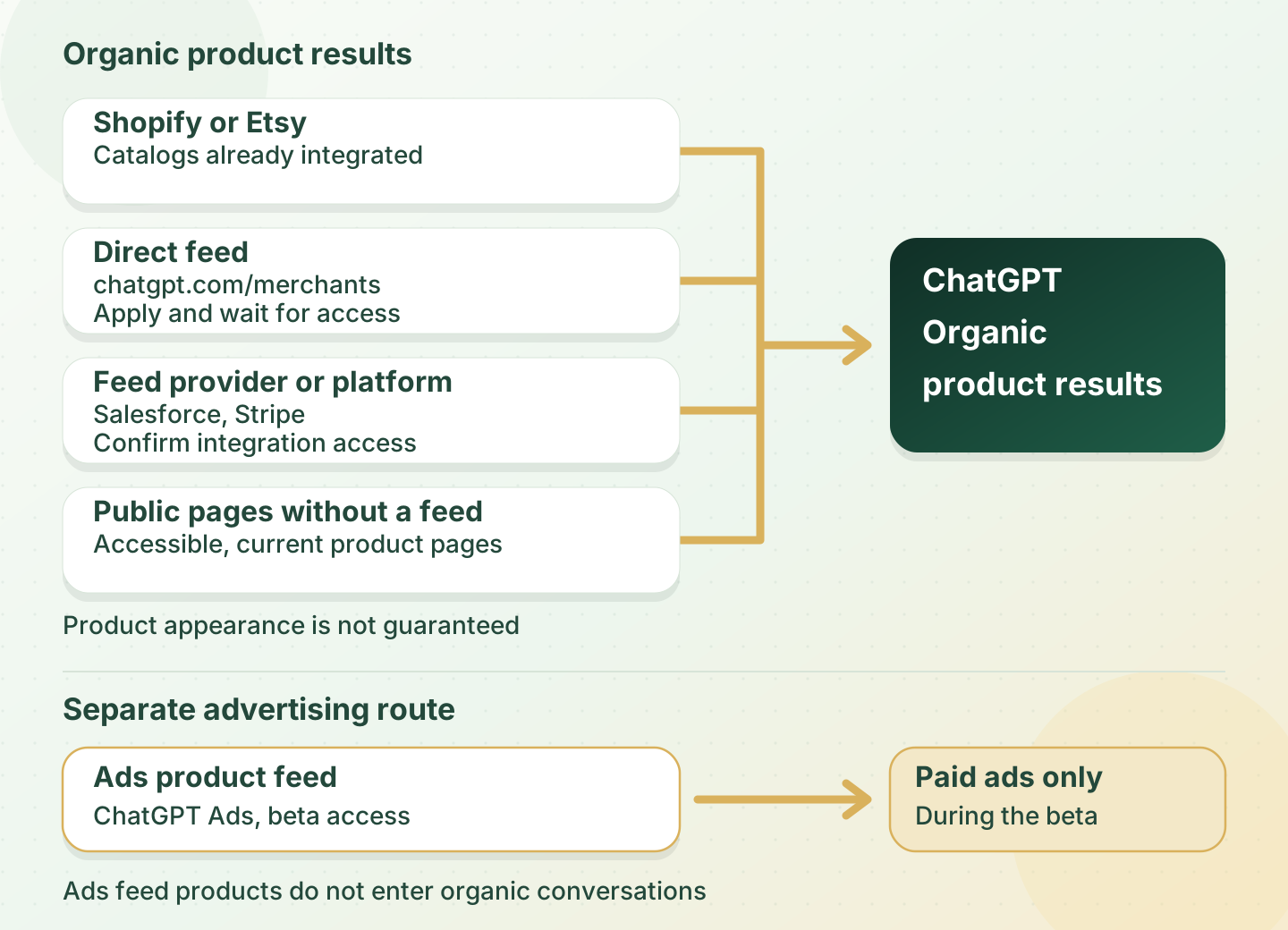
The shopping experience includes organic product results, Shopping Research, and ads. They are separate ways to reach shoppers, with different setup routes for merchants. OpenAI says organic product results are selected for relevance to a shopper’s needs; product feed campaigns for ads work separately.
| Surface | What shoppers see | What merchants should check |
|---|---|---|
| Organic product results | Product cards with prices, images, details, and merchant links | Accuracy of public pages and catalog records |
| Shopping Research | Follow-up questions, comparisons, and a product guide | Attributes shoppers can compare |
| Product feed | Catalog data shared through a platform or feed | Record completeness, integration access, and updates |
| Ads | Separate paid catalog placements | Ads Manager access and a separate ads feed |
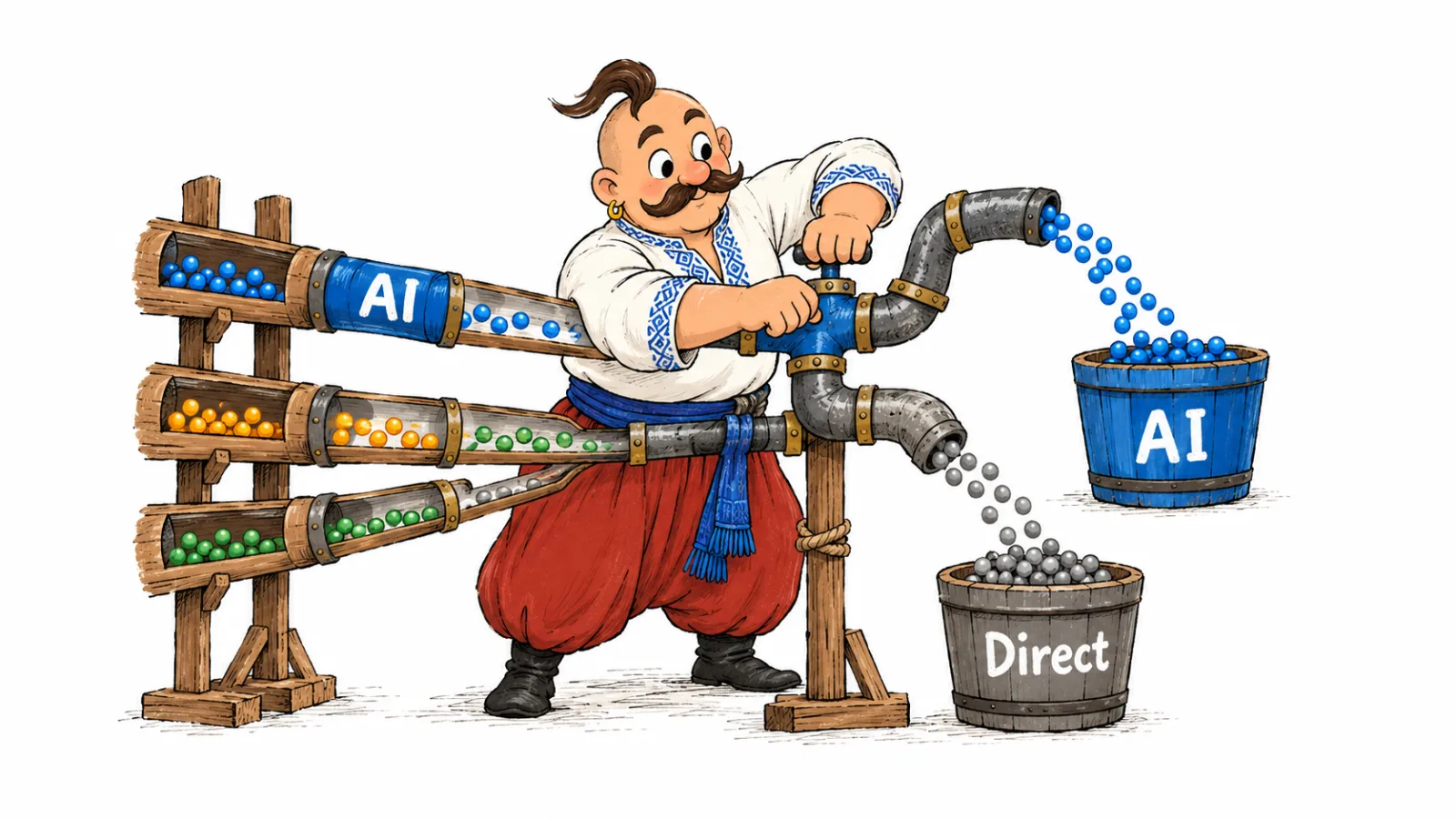
OpenAI’s Shopping help explains organic product selection and its possible data sources. The product feed ads guide covers a separate campaign setup. An ads feed supplies ads, while an organic discovery feed shares product data for product results.
How ChatGPT chooses products
OpenAI lists the shopper’s query and context, structured product data from merchants and third-party providers, other third-party content, prior model responses, safety standards, and product policies as possible signals. Their relevance depends on the shopper’s needs: when a shopper gives a budget, price matters more. OpenAI explains this in its help on product selection.
When a shopper opens a list of merchants selling the same item, OpenAI says merchant rankings can consider availability, price, quality, and whether the merchant is the maker or primary seller. A practical response is to submit current price and stock, distinguish variants, identify the brand and seller, and support product claims on the page.
Hypothetical example: a shopper wants a laptop for school, gaming, and work within a stated budget. The listing can help compare options when the page and feed include the processor, memory, graphics, weight, compatibility, and current price. A generic line such as “powerful laptop for everything” does not answer those criteria. ChatGPT may simplify product titles, generate review summaries, or add labels based on the available content, so check those claims against their sources.
For a Ukrainian market example of how ChatGPT recommends specific phone models, see the smartphone recommendation study.
How to optimize product listings for ChatGPT
Start with the product page. It should identify the model and variant, show the current price and availability, and explain specifications, shipping, and returns. If compatibility matters, state which models an accessory works with and link to the manufacturer’s documentation.
Then compare the same item in the catalog: name, URL, main image, variant, price, and stock status. A page for the blue item should open with the blue option selected. The purchase button should lead to that variant, and the cart total should match the price shown on the page.
Add Product structured data to the page if you manage its markup. Google asks merchants to make structured data match visible page information so Google can understand the offer for its own product results. See Google’s merchant listing documentation. This is Google guidance for Google Search, not a special authorization or placement guarantee for ChatGPT.
Keep reviews on public product pages or marketplaces where shoppers can read them. OpenAI says it may show summaries of reviews from public websites; its feed specification separately accepts aggregate review counts and ratings. Do not put a store rating in the product rating field. The count and score should describe the same group of product reviews. See OpenAI’s review fields.
For structured data and its limits, see how structured data influences AI visibility.
Shopping Research: how ChatGPT compares products
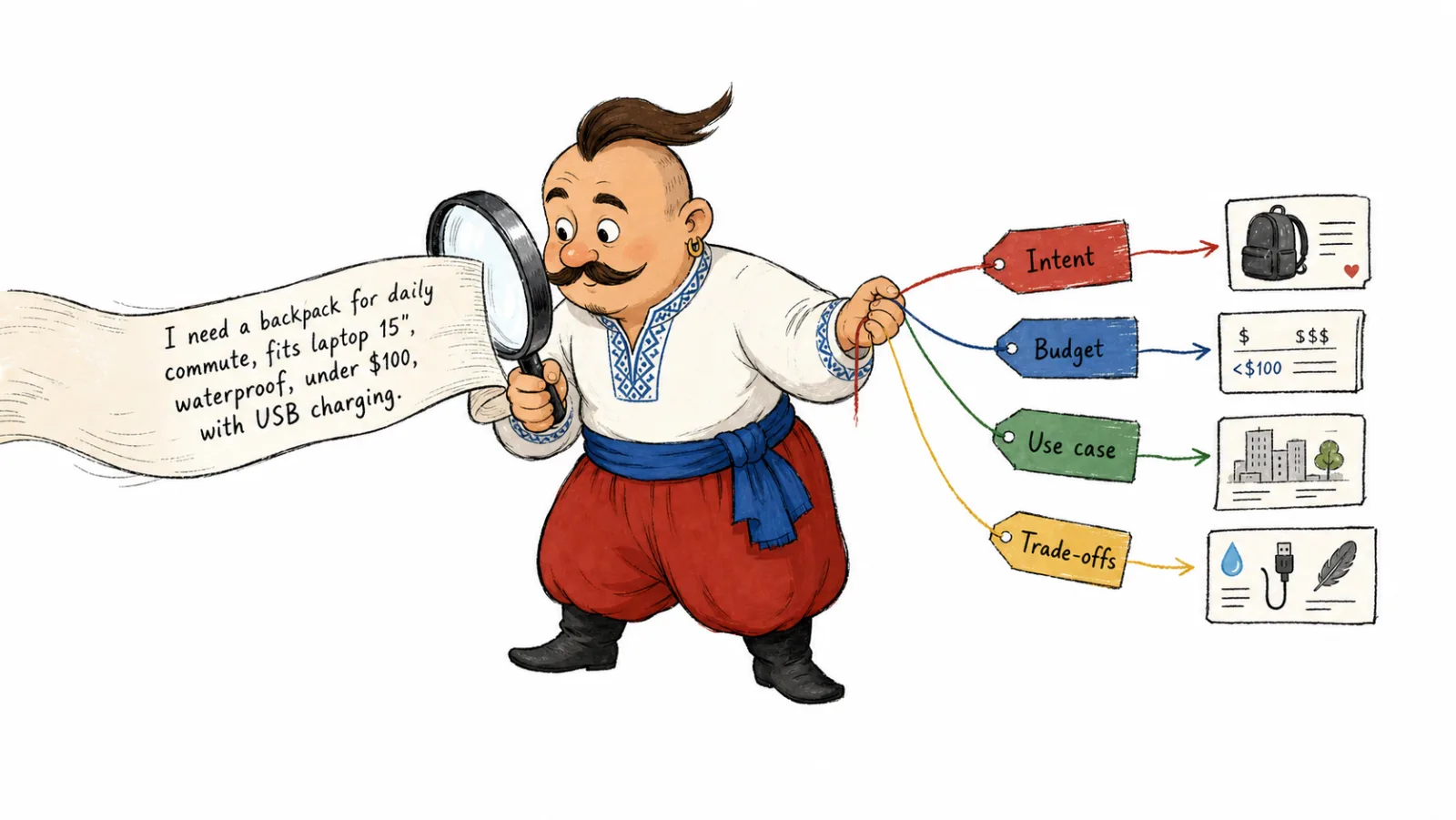
Shopping Research helps shoppers clarify what they need and compare products against the criteria they give in the conversation. OpenAI announced the feature on November 24, 2025, in its Shopping Research announcement. Shoppers can refine a budget, desired attributes, or constraints, then ask for another option.
Make those attributes easy to find. For apparel, that can mean material, sizing, and care instructions. For electronics, list compatibility, interfaces, battery capacity, or what comes in the box. For furniture, give dimensions, materials, and installation needs. Use details you can confirm in a manual, certificate, technical sheet, or store policy. If a product only works with a particular charging standard, state that next to compatibility.
Where ChatGPT gets product data and what the Agentic Commerce Protocol does
Product information can come from an integrated catalog, direct feed, public pages, and other third-party sources. OpenAI lists Shopify catalog integration in its Shopping help; its merchant page also lists Etsy as an integrated catalog. If your store uses one of these platforms, start by checking the catalog on that platform. Learn more about direct sharing on OpenAI’s merchant page.
The Agentic Commerce Protocol (ACP) describes data and transaction exchanges between a buyer, an agent, and a seller. As of October 2026, the public repository README identifies OpenAI and Stripe as specification maintainers and labels its status beta; the current MAINTAINERS file also lists Meta among lead maintainers. The repo includes specifications, examples, and version history. Before planning an implementation, check Stripe’s agentic commerce documentation.
OpenAI describes product feeds as a product discovery route and checkout as a separately enabled integration. Its merchant page says OpenAI is moving away from a standalone Instant Checkout experience and prioritizing checkout on merchant-owned sites and apps. The Shopping help page still describes an Instant Checkout option for some eligible products and merchants. For the standard store route, send shoppers to your own checkout and confirm any other option with the integration provider. Compare the merchant page with Shopping help when planning a checkout integration.
If crawlers cannot reach your store pages, check access rules in how to control AI crawlers through robots.txt.
How to list products on ChatGPT
As of October 2026, OpenAI says merchants who have already applied for a feed are on the waitlist; the application form remains open. It asks for business contact details, headquarters country, store website, product categories, catalog size by unique SKU count, and whether the feed is ready to meet its specifications. Check the current fields on OpenAI’s merchant application.
| Route | Who it fits | What you need | Availability and next step |
|---|---|---|---|
| Shopify | Stores on Shopify | Current Shopify catalog with names, descriptions, images, prices, and availability | Catalog is integrated; no separate application is needed for the basic integration, so check the records in Shopify |
| Etsy | Sellers on Etsy | Products and variants set up correctly in the Etsy catalog | OpenAI’s merchant page lists Etsy as integrated; review the records on Etsy |
| Direct OpenAI feed | Merchants using their own platform or inventory system | Application, a feed that follows the specification, and a technical delivery route agreed with OpenAI | Applicants who have already submitted are on a waitlist; configure the approved delivery after access |
| Feed provider | Stores whose platform exports through a supported provider | Confirm the format and ChatGPT route with the provider | OpenAI mentions feed providers; provider availability alone does not confirm a specific store is connected |
| Public product pages | Stores with an open website | Accessible URLs, visible product attributes and prices, and clear navigation | OpenAI cites page data and third-party content as possible sources; keep the site accessible to search |
| Ads Manager | Advertisers who have access to ChatGPT Ads | Separate product ads feed and Ads Manager campaign | Product feed ads are in beta; feed records are eligible for ad placements |
If you are applying for a direct feed, follow this sequence:
- Check the required fields, format, and variant rules in OpenAI’s product specification.
- Make sure pages are available without an account login and each variant URL opens the right item.
- Submit the merchant application and indicate whether the catalog is ready.
- After OpenAI confirms the route, send a full catalog snapshot through the approved channel. The feed upload overview recommends a full snapshot at least daily; monitor processing and file errors after launch.
- Configure promotions, ads, or checkout separately when those features are available in your integration.
When a project includes checkout, the Agentic Commerce Protocol covers a separate transaction flow: OpenAI enables checkout independently from the discovery feed, as the commerce product specification explains.
ChatGPT Shopping availability in Ukraine
OpenAI lists the U.S. as the market where Shopping is live for shoppers and has not confirmed the Ukrainian market. Its standard file upload path also targets the U.S.; additional markets require confirmation from OpenAI during integration. A Ukrainian store can prepare its data and public site, then confirm whether OpenAI will accept its feed and where products can appear. Check current regional information on the merchant page and in the product upload specification.
| What a Ukrainian store can prepare | What it helps with | Limit |
|---|---|---|
| Public product pages | ChatGPT and search engines can access visible specifications and offers as web content | This does not activate product carousels for shoppers in Ukraine |
| Structured data and complete pages | Google can process product markup under its own guidance | Google markup does not connect a catalog to ChatGPT |
| Reviews on public pages or marketplaces | Shoppers and systems using web content can access those reviews | Keep product reviews distinct from store ratings; OpenAI has not confirmed coverage for individual Ukrainian sites |
| Etsy or Shopify catalog | OpenAI lists both platforms as integrated catalog sources | Confirm where products can be shown; catalog integration does not expand Shopping beyond OpenAI’s announced regions |
| Direct product feed | Provides a structured catalog after OpenAI approves the route | Standard file uploads currently target the U.S.; agree on extra markets with OpenAI |
ChatGPT access in Ukraine and availability of a specific Shopping feature are separate questions. To choose which product and help pages to prepare for AI answers, see which website pages most often appear in AI answers.
ChatGPT product feed requirements
The stable OpenAI file format requires nine basic fields for product discovery, as listed in the product specification. Use a product feed for ChatGPT only after OpenAI confirms the format for your integration; the specification also defines a separate Google-compatible profile. Its table marks Stable as supported and Draft as not ready for production use.
| Field | Status | What to send and why |
|---|---|---|
| item_id | Required | Stable, unique ID for an item or variant so the feed can distinguish records |
| title | Required | Product name, including the selected variant when useful |
| description | Required | Factual description supported by the product page |
| url | Required | Page for this item, with the selected variant when possible |
| brand | Required | Brand as shown on the product page |
| seller_name | Required | Merchant supplying the offer |
| image_url | Required | Public direct URL to the main image for this variant |
| availability | Required | in_stock, out_of_stock, pre_order, backorder, or unknown |
| price | Required | Regular price as an amount and currency code, such as 79.99 USD |
OpenAI recommends concise titles and plain text descriptions; its specification gives target limits of 150 characters for title and 5,000 for description. GTIN and MPN are optional in the OpenAI format. Include them only when they are real identifiers for that item.
To optimize product listings for ChatGPT, fix mismatches in the variant URL, image, price, and stock before enriching optional fields.
| Recommended data | Specification fields | Practical value |
|---|---|---|
| Variants | group_id, listing_has_variations, variant_dict | A separate row for each variant can carry its color, size, or other option and connect it to the shared listing |
| Additional views | additional_image_urls | Gives more views of the same item |
| Category and attributes | product_category, color, size, material, dimensions | Adds concrete features shoppers can compare |
| Sale price | sale_price | Provides the current promotional price; it must be lower than the regular price and use the same currency |
| Shipping | shipping_price or configured shipping | Shares shipping cost; supported representation depends on feed setup |
| Returns | accepts_returns, return_deadline_in_days, return_policy | Shares whether returns are accepted, the window, and a link to terms |
| Product ratings | review_count, star_rating | Supplies an aggregate review count and average score for the product |
| Condition | condition | Identifies used or refurbished goods so the item’s condition is clear |
The specification marks these fields as optional, conditional, or dependent on integration setup. Leave a value out when you cannot verify it; do not fill unrelated fields with unknown. For variants, OpenAI calls for a separate row per item, one shared group_id, listing_has_variations=true, and a variant_dict with selected options.
Do not copy Google column names into an OpenAI format without checking the mapping. OpenAI defines separate Google-compatible fields and rules for availability and product identifiers. Confirm which profile your integration accepts in OpenAI’s feed setup guide.
ChatGPT product ads
As of October 2026, OpenAI describes product feed campaigns in Ads Manager as a beta. In the account, create a feed through Tools → Feeds, import a CSV or TXT file, hosted URL, or SFTP connection, review Upload History, then choose the Product feed campaign type. OpenAI’s product feed campaign help documents these steps.
OpenAI says products in these feeds are eligible for ads during the beta and do not appear in organic conversations. Ads feeds have a separate product eligibility flag; it does not enable organic discovery or checkout. Check Ads Manager access first, then prepare a separate feed using OpenAI’s ads feed specification.
What to check before sharing a listing
Choose an item and trace it from the feed to its product page and cart. Checking one SKU at a time helps identify a mismatch before you automate catalog updates.
| Check | Hypothetical example | Next action |
|---|---|---|
| ID | Two colors accidentally use the same item_id | Give each variant a stable ID and connect them with group_id |
| Page | A blue variant URL opens the black option | Send a URL with the right option selected and test it on the site |
| Price | The feed and page show different amounts | Find the current source of truth and sync the channel that is behind |
| Availability | The feed lists an item as available, but the cart will not accept it | Update stock before the next full catalog transfer |
| Reviews | A store score is entered in the product rating field | Send an aggregate for the product or remove the field |
| Purchase terms | The description promises free returns, but the policy has exceptions | Align visible copy, the policy link, and feed values |
These are hypothetical data checks, not results from a real store. For a method to review cited pages and source types, see how to analyze sources AI relies on.
Frequently Asked Questions
How do I list products on ChatGPT? Review your Shopify or Etsy catalog. For a direct product feed, prepare data in the OpenAI format and apply on its merchant page. After OpenAI confirms the route, configure the approved delivery method.
How do I connect my store to ChatGPT? For Shopify and Etsy, review the catalog on the platform. For your own system, apply through OpenAI’s direct feed form and check for waitlist updates on the merchant page. For an open website, check that product pages are accessible to search.
Does a product feed guarantee ChatGPT listings? No. A feed provides structured, current data for product selection, while ChatGPT displays products it considers relevant to the query. Compare each item on the site, in the feed, and in the cart, then review results for different shopper needs.
Is ChatGPT Shopping available in Ukraine? OpenAI lists the U.S. as the live Shopping market and has not confirmed product results for shoppers in Ukraine. Check the merchant page for current regional information before applying for a direct feed.
What are the ChatGPT product feed requirements? The stable format requires item_id, title, description, url, brand, seller_name, image_url, availability, and price. Variants have additional grouping fields; GTIN and MPN are optional. See OpenAI’s product specification.
Can merchants run ChatGPT product ads? OpenAI describes product feed ads as a beta in Ads Manager. Create a separate ads feed and confirm that your account can access campaigns.
How we do it in VYDAI
VYDAI shows brand mentions, competitors, and cited pages in responses from ChatGPT, Gemini, Claude, Google AI Overviews, and Google AI Mode. The Sources report lists domains and URLs cited in responses. It does not show product carousels, feed acceptance, prices, stock, or checkout status.
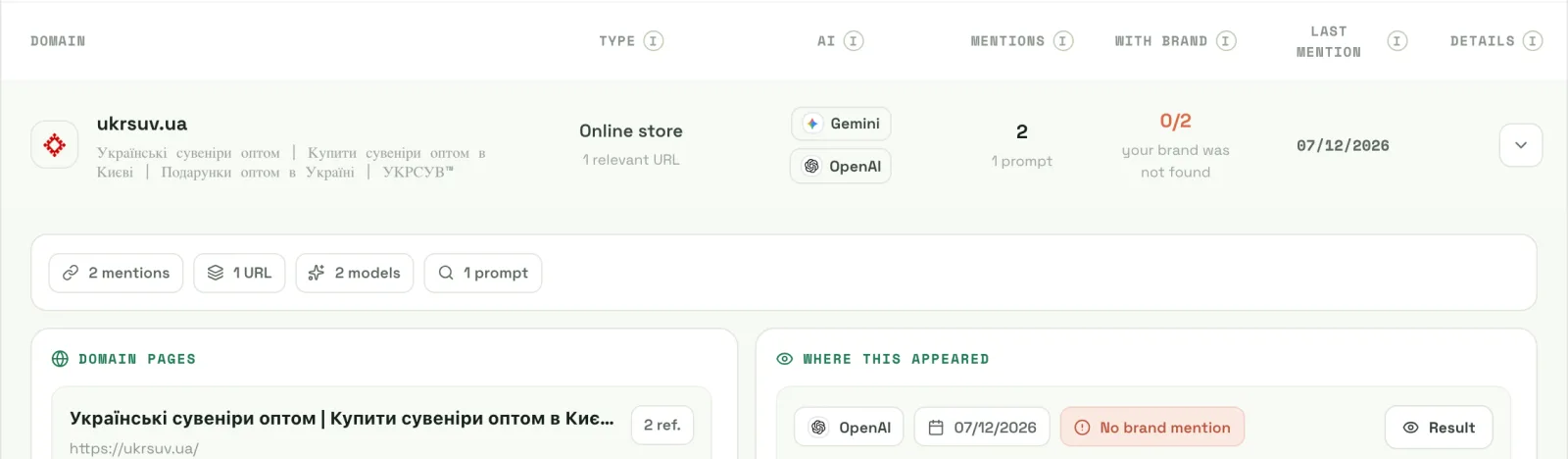
For a small catalog, start by checking each page, variant, and price manually. To compare brand mentions and sources in VYDAI monitoring, open the demo. Review ChatGPT Shopping results separately on the merchant’s actual product pages.