Structured data for AI connects page facts to entities and properties: a price to a product, business hours to a location, and an author to an article. A practical start is to describe the organization on the homepage and the product, service, or article on its own page, using facts readers can see. Google includes AI Overviews and AI Mode in regular Search, so a page must be indexed and eligible for a normal snippet; neither feature requires special schema, Google's guide explains. For broader context, read what AI visibility is and why SEO still matters.
What is structured data
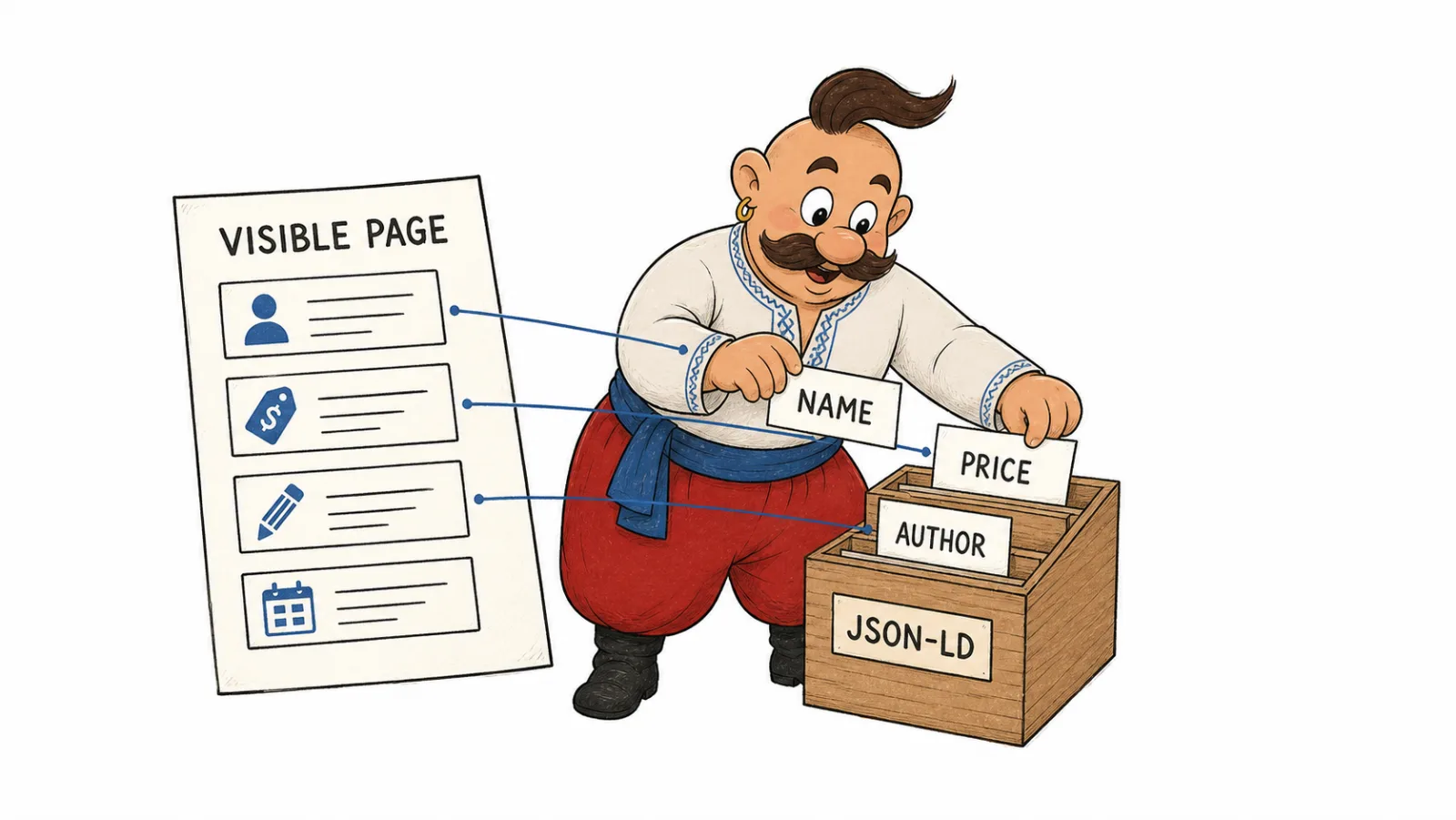
Structured data describes a page in a machine-readable format. The visible page tells a shopper what a product costs and whether it is available. Markup connects the product name, price, and availability to a Product entity and its Offer. An article page can also identify its headline, author, and publication date.
Schema.org is a shared vocabulary of types and properties used across platforms. It is not an OpenAI integration: there is no separate Schema.org markup for ChatGPT. Google accepts JSON-LD, Microdata, and RDFa when implemented for a supported feature. Google recommends JSON-LD when it is practical to implement and maintain; its documentation on structured data formats explains the differences.
JSON-LD usually sits in a separate script block in the HTML. Microdata adds properties to HTML elements, while RDFa expresses them through HTML attributes. If a site generates JSON-LD from the same fields as the visible page, it is easier to keep both representations in sync. A valid, complete Microdata implementation can stay in place. In any format, make sure names, authors, addresses, prices, and availability in the markup match what readers see.
How schema markup affects SEO
Structured data gives Search explicit clues about a page and can make it eligible for a supported result format. For SEO, a search engine can connect a product name, seller, and price more clearly when structured data exposes those fields separately. Google, for example, supports types such as Article for editorial content, Product for products, Event for events, and Recipe for recipes. See Google's gallery of supported structured data features for the full list.
A practical workflow is to identify the page's main type, add properties supported by visible content, check whether Google supports the intended feature, then track the corresponding Search Console report. Google chooses which eligible results to display, so validating markup and checking actual appearances answer different questions. Google's general structured data policies require marked-up information to be available to readers and accurate for the page.
| What readers see | What the markup describes | What to check |
|---|---|---|
| An article with an author and publication date | Article, author, datePublished | The author's name and date appear in the article |
| A product card with a current price | Product, Offer, price, availability | Price, currency, and stock match the card |
| A local branch page | LocalBusiness, address, phone, hours | The address and hours belong to that location |
| A recipe with steps and ingredients | Recipe, recipeIngredient, recipeInstructions | Each step and ingredient appears in the recipe |
A rich result can change how someone notices and opens a page in Search. Measure that in Google Search Console for the feature the markup targets, rather than treating code validity as the outcome. When Google has no dedicated rich result for a type, accurate descriptions of an author, organization, service, or product variant still make those entity relationships explicit to systems that read Schema.org.
Does schema improve AI visibility
Schema markup for AI search gives a parser fields and relationships, such as a manufacturer's brand, product, price, and seller. That makes the page's facts clearer for programmatic processing. Google AI Overviews and AI Mode rely on a page's eligibility in ordinary Search: it must be indexed, eligible for a normal snippet, and included in Search's generative features. Google's guide to AI features in Search describes these conditions; Google does not require special schema for AI Overviews.
Two studies show why entity understanding and citations should be measured separately. In an open controlled 2026 experiment across four domains, JSON-LD alone produced a modest improvement in answer quality for RAG, while entity pages with navigation and links performed better. This was a specific RAG pipeline, not Google or ChatGPT Search; the preprint describes its method. Ahrefs tracked 1,885 URLs that added JSON-LD and matched them with 4,000 control pages. Its analysis found no major citation uplift in Google AI Overviews, AI Mode, or ChatGPT. The sample consisted of pages that were already cited, so it does not answer whether schema helps a new page get discovered; Ahrefs explains its method, period, and limits.
Keep markup synchronized with visible facts and include important information in the page text too. If JSON-LD validates but a product does not appear in Search features, check the page type, indexing, and required properties. If a page is accessible but AI describes the company inaccurately, align its name and profiles across the site and official properties. Measure mentions and sources separately in each system.
Which Schema.org type fits this page
Choose a type based on the main subject of a page, not the options in a plugin library. The table covers types commonly useful to businesses, stores, publishers, and service sites. Google status was checked against its Search feature gallery and Search documentation updates, as of October 2026. A Schema.org type can describe an entity even when Google has no dedicated rich result for it.
| Schema.org type | Page it fits | What it describes | Google rich result status as of October 2026 | Why the entity description can help |
|---|---|---|---|---|
Organization | Homepage, about page, official company profile | Name, URL, logo, legal and contact details, official sameAs profiles | Google Organization features can support company details and logos in Search; see Google's documentation | Connects a brand to its domain, logo, and official profiles |
LocalBusiness | Real branch or local business page | Location, address, hours, contacts, and available services | Google's local business Search feature is supported for eligible businesses | Distinguishes a specific location from the overall brand |
WebSite | Website homepage | Site name, URL, and preferred name for Search | Google supports site names in Search results; this is not a product or organization card | Connects the brand name with its domain |
WebPage, AboutPage, ContactPage | General page, about page, contact page | Page purpose and its relationship to a site or organization | No separate rich result for these types appears in Google's gallery | Clarifies the page's role within the site and organization graph |
Article, BlogPosting | News story, editorial article, blog post | Headline, author, publisher, image, and dates | Article is a supported Search feature; Google's documentation lists its requirements | Connects content to its author, publisher, and date |
Product + Offer or AggregateOffer | Single product page, variants, or multiple offers | Product, seller, price, currency, availability, and offers | Product supports product snippets and merchant listings; Google accepts page markup, Merchant Center data, or both | Links an item to a specific offer and seller |
AggregateRating, Review | Page with genuine visible reviews | A rating summary and an individual review | Review snippets are supported for eligible types, including Product and LocalBusiness, under Google's rules | Gives structure to reviews readers can verify on the page |
ProductGroup | Product page with variants such as color or size | A shared product model and its related variants | Product variants are supported for product snippets and merchant listings in Google's guide | Shows how variants relate to their parent product |
Service | Specific service page | Service, provider, service area, and terms | Google has no standalone Service rich result in its gallery | Names a service and links it to a company and area |
FAQPage | Page with questions and answers written by the site | Published questions and their answers | FAQ rich results have not appeared in Google Search since May 7, 2026, according to Google's update log | Marks question and answer pairs for systems that consume Schema.org |
HowTo | Instructions with ordered steps | Instructions, steps, supplies, and tools | Google stopped showing HowTo rich results in September 2023, according to Google's announcement | Provides typed steps for systems that process this type |
BreadcrumbList | Page within a nested section structure | Path from homepage to the current page | Breadcrumb is supported on desktop; Google removed breadcrumb display from mobile Search in January 2025, per its announcement | Describes the site's URL and section hierarchy |
Person | Author, expert, founder, or profile page | Name, role, profiles, and relationship to an organization or article | No universal Person rich result; Google has a Profile page feature for eligible profile pages | Identifies who created content or represents the business |
Event | Page for a specific event | Name, venue, time, organizer, tickets, and status | Event rich results are supported; Google's rules require a distinct event page with accurate information | Connects an event to its organizer, venue, and date |
SoftwareApplication | App or software product page | Name, platform, price, and rating when available | Software app rich results are supported with required fields and review policies | Describes the software product and supported platforms |
VideoObject | Page where a video is the main content | Name, description, thumbnail, date, and video source | Video features are supported for accessible videos with required details | Connects a video to its topic and watch page |
JobPosting | Active employer job listing | Role, employer, location, employment type, and term | Job posting rich results are supported for listings that follow Google's policies | Structures the role, employer, and workplace |
Recipe | Recipe page on a food site or blog | Ingredients, steps, cooking time, and author | Recipe rich results and recipe carousels are supported for eligible pages | Makes recipe contents and steps explicit to systems that read the type |
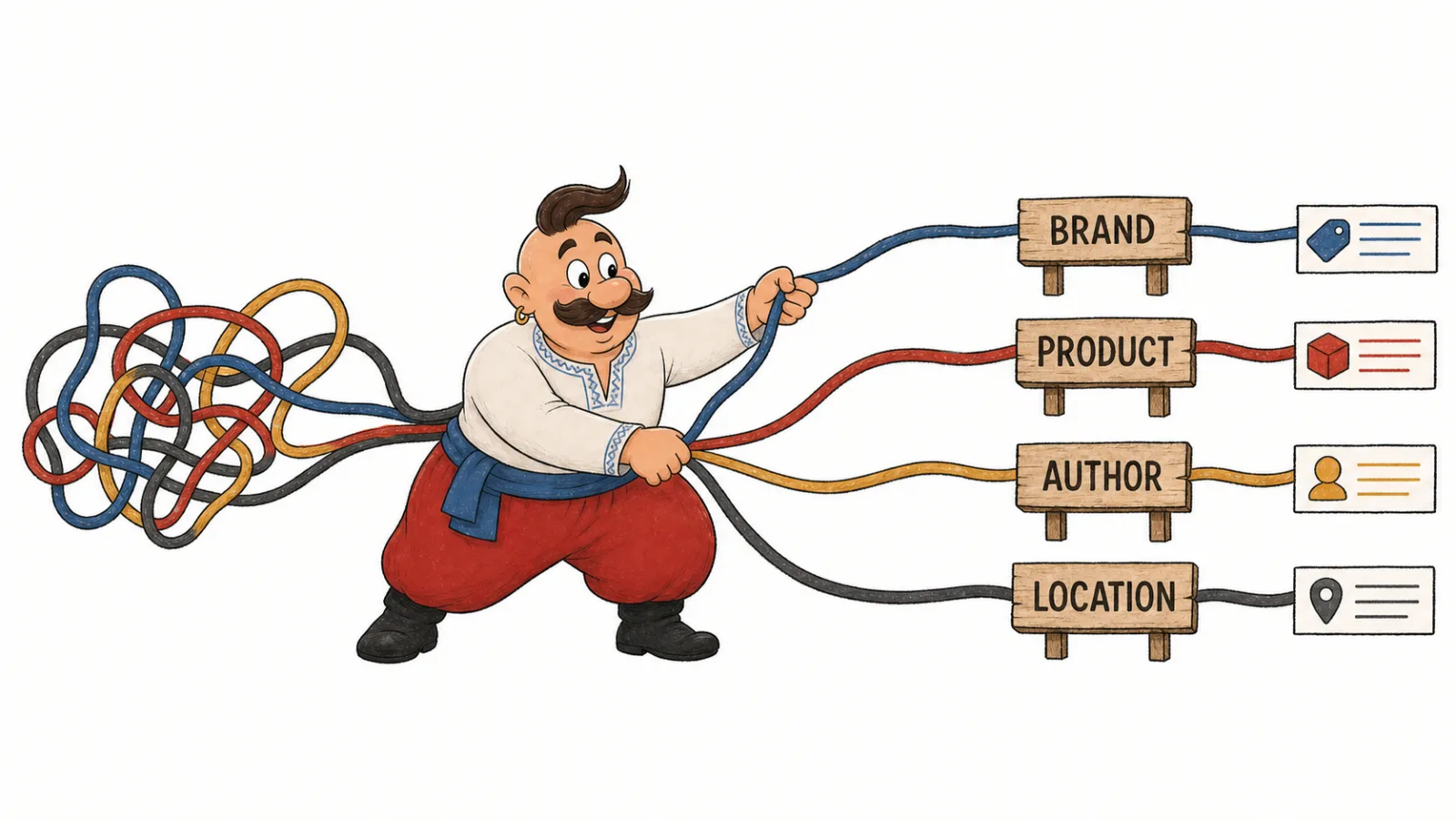
Use one main type per page and add related types only when the content supports them. A product page can use Product with Offer; a page with variants can connect offers through ProductGroup. A company can connect Organization with WebSite, then describe its contact page with ContactPage. Check property definitions in the Schema.org specification and Google's Search Gallery.
JSON-LD examples for an organization and a product
These are hypothetical examples. Replace the names, URLs, and identifiers with real information visible on the site; add only the brand's official profiles to sameAs.
The Organization example connects a company with its homepage, logo, and official profiles. Google describes these properties in its Organization documentation.
{
  "@context": "https://schema.org",
  "@type": "Organization",
  "name": "Company name",
  "url": "https://example.com/",
  "logo": "https://example.com/images/logo.png",
  "sameAs": [
    "https://www.linkedin.com/company/example",
    "https://www.facebook.com/example"
  ]
}
The Product and Offer example shows the price and availability of one visible offer. The price below is a hypothetical demonstration value; replace it with the current page price before publishing. Google's Product guide explains the fields and requirements.
{
  "@context": "https://schema.org",
  "@type": "Product",
  "name": "Product name shown on the page",
  "image": "https://example.com/images/product.jpg",
  "offers": {
    "@type": "Offer",
    "url": "https://example.com/product/",
    "priceCurrency": "USD",
    "price": "49.99",
    "availability": "https://schema.org/InStock"
  }
}
Keep the product, URL, currency, price, and availability aligned across the markup and page. For multiple offers, consider AggregateOffer; for sizes or colors, connect the variants through ProductGroup. Google accepts product data from page markup, Merchant Center, or both. For catalog feeds and merchant setup for ChatGPT, read our ChatGPT Shopping guide.
Product schema for ecommerce
On an individual product page, use Product for the item and Offer for price and availability. If the product comes in colors or sizes, connect those variants to the main product with ProductGroup. Add a review or aggregate rating when the page shows the source and content of those ratings and the markup follows Google's policies. This structured data for ecommerce connects the product card to its offer. Google explains product variants and covers product snippets and merchant listings separately.
A Merchant Center feed and page markup provide product data for Search features and free product listings. If feed data and the product card differ, first correct the source of price, currency, SKU, and availability, then check the generated JSON-LD.
How to validate schema markup
Work from the visible page toward the report on search appearances.
- Open the page as a reader and compare its name, price, date, address, author, or review with the JSON-LD, Microdata, or RDFa fields.
- Run Google's Rich Results Test to check supported types and property errors.
- Use the Schema.org Validator to inspect vocabulary and entity relationships.
- Check URL Inspection and page indexing in Search Console.
- Review the report for the relevant Search feature and compare appearances before and after your changes. Google provides a Generative AI performance report for its own AI features in Search Console, described in its guide to AI features in Search.
- For ChatGPT Search, confirm that
OAI-SearchBotcan retrieve the page. OpenAI distinguishes this search crawler fromGPTBot, which is related to potential training use; theirrobots.txtrules are managed separately, according to OpenAI's bot documentation.
If a test reports an error, fix the field and rerun it on the page URL. If syntax passes but the rich result does not appear, check the type in Google's Search Gallery and review the page's access, content, and feature eligibility. For citations in other AI systems, keep a separate log of prompts, dates, and source links; Google's report measures Google Search. To distinguish a mention from its source, analyze the sources AI answers rely on and check AI crawler access to the page.
Markup is only one page-readiness check: review crawler access, indexing and content structure together with the GEO audit checklist.
Common schema mistakes
- Markup and page data drift apart. JSON-LD holds an old price while the product card shows a new one. Generate both from the same source of truth.
- The type does not fit the page. A product category is marked as a single
Product. Use list structure for the catalog and mark up an individual item on its own page. - Reviews cannot be verified. Display and mark up only ratings that appear on the page and meet Google's policies.
- Entities are disconnected. The company has several names or profiles. Align the visible name, URL, logo, and official
sameAslinks. - Plugins create duplicate blocks. A CMS and SEO plugin emit conflicting JSON-LD. Keep one generator for each entity.
- A retired result is the goal. FAQPage and HowTo no longer produce the corresponding Google rich results; check the current gallery before implementing markup.
Frequently Asked Questions
Is there a separate schema markup for ChatGPT?
No. Use standard Schema.org types for visible page content, then check access for ChatGPT Search separately through OAI-SearchBot rules.
Does schema improve AI visibility? It gives parsers typed fields and relationships. For Google AI Overviews and AI Mode, check that the page is indexed and eligible for a normal Search snippet.
Does Google require schema for AI Overviews? No. Google's guide lists ordinary indexing and snippet requirements; it does not call for a special schema type for AI Overviews or AI Mode.
How schema markup affects SEO? It can make a page eligible for a supported rich result. Choose a type from Google's Search Gallery, then review the related Search Console report.
Which Schema.org type fits this page?
Start with the page's visible subject: Organization for a company, Service for a service, Product and Offer for an item, or Article for a post.
JSON-LD vs. Microdata: which should I choose? Google supports JSON-LD, Microdata, and RDFa. Choose the format your site can generate reliably from current visible data; Google recommends JSON-LD when practical.
How to validate schema markup? Compare the code with the visible page, inspect its structure in the Schema.org Validator, and check eligibility for Google rich results in the Rich Results Test.
How we do it in VYDAI
The VYDAI GEO audit checks a page for detected Schema.org types, whether JSON-LD parses, whether the author is represented as a separate entity, and whether AI crawlers can access the page. Compare the report with visible content to decide which fields to correct, then turn your structured data for AI findings into a list of pages and fields to work on.
As of October 2026, VYDAI monitoring shows brand mentions in ChatGPT, Gemini, Claude, Google AI Overviews, and Google AI Mode. To review available screens, open the demo or create an account.