Here is how to check AI crawler access to a website: compare the page's robots.txt rule, HTTP response, returned HTML and protection settings. It may open in Chrome while a test request receives a “verify you are human” message. Check the URL you care about, not only the homepage.
Check the access layers
robots.txt declares a crawling policy. The server and protection service determine the response. Rendering determines whether that response contains the text. Directives and indexing affect how a particular search system can use the page.
| Layer | Question | Evidence |
|---|---|---|
| Crawl policy | Is this path allowed for the relevant agent? | robots.txt on the corresponding host |
| Retrieval | Does the request receive the intended page without login or a browser challenge? | GET request, final URL, status and response body |
| Readable content | Is the essential text in the retrieved document? | Initial HTML compared with the visible page |
| Search use | Are indexing and the required preview allowed? | Meta robots, X-Robots-Tag and Search Console for Google |
Use the same URL throughout. The homepage may be accessible while /pricing has a separate restriction. Another subdomain has its own robots.txt; the main domain's policy does not describe every host automatically.
Identify crawlers by purpose
As of October 2026, provider documentation distinguishes search crawling, user-requested page retrieval and collection for training. Check Bingbot as well when Bing indexing matters: Microsoft connects Bing indexing with Copilot answers (Microsoft on public websites and Copilot, Bing Webmaster on AI Performance).
| Agent or token | Purpose | Policy source |
|---|---|---|
| OAI-SearchBot | ChatGPT search | OpenAI |
| GPTBot | Collecting content potentially used in training | OpenAI |
| ChatGPT-User | User-triggered retrieval | OpenAI |
| Claude-SearchBot | Claude search | Anthropic |
| ClaudeBot | Collecting content potentially used in training | Anthropic |
| Claude-User | User-requested retrieval | Anthropic |
| PerplexityBot | Search discovery | Perplexity |
| Perplexity-User | User-requested retrieval | Perplexity |
| Googlebot | Google Search, including its AI features | Google Search Central |
| Google-Extended | Controls specified Google uses outside Search | Google crawler documentation |
| Bingbot | Bing indexing used in search and Copilot answers | Microsoft Learn |
Google-Extended is a robots.txt control token, not a separate HTTP User-Agent to probe. Googlebot rules govern crawling for AI Overviews and AI Mode. Changing Google-Extended does not enable inclusion in those Search features.
OpenAI separates search and training controls. As of October 2026, OpenAI describes ChatGPT-User as serving user-triggered page fetches, while Perplexity documents separate behavior for Perplexity-User. Anthropic documents rules for its crawlers. Check each agent against its provider's current guidance.
Step 1. Inspect the public URL and final response
HTTP response codes are defined by RFC 9110. Open the page without authentication and record any redirect. Then retrieve its server response with GET, replacing example.com/page with the public URL you need to check.
curl -sS -L \
  -D page-headers.txt -o page.html \
  -w 'HTTP: %{http_code}\nURL: %{url_effective}\n' \
  'https://example.com/page'
-L follows redirects, -D saves response headers, and -o saves the body. A redirect chain can produce several header blocks; inspect the final one. -I requests HEAD and does not retrieve the text, so GET is more useful for this diagnostic.
| Result | First follow-up |
|---|---|
| 200 with the intended text | Continue to crawl rules and directives |
| 200 with a browser challenge or login | Find why another document replaced the page |
| 301/302 ending at the correct page | Inspect rules and content at the destination |
| 401 | Check whether the URL is private or unintentionally protected |
| 403 | Inspect server, content delivery network (CDN), web application firewall (WAF) and network rules |
| 404/410 | Confirm whether the page exists or was removed |
| 429 | Examine request frequency, server conditions and Retry-After |
| 5xx or a timeout | Investigate infrastructure and reproducibility at the recorded time |
The status code does not identify the cause. Any unfamiliar client may receive 403. Save the timestamp, URL and response body so an administrator can locate the event.
Step 2. Check the robots.txt rule for the page
Check the robots.txt rule for an AI crawler on a specific URL by finding the agent's User-agent group and matching its rules to the exact path. The file is at the host root, for example https://example.com/robots.txt. Both the general User-agent: * rules and the agent-specific rules follow RFC 9309.
Hypothetical example for discussion with the content owner: allow OpenAI's search crawler on public pages and restrict its training crawler. Do not copy this over the live file without checking its other rules.
User-agent: OAI-SearchBot
Allow: /
Disallow: /account/
Disallow: /checkout/

User-agent: GPTBot
Disallow: /
Review the other groups and restricted paths in the existing file. The decision depends on the rules matching the crawler and URL; adding one Allow line is not enough. URL parameters, case and the final redirect path can also affect the result.
robots.txt does not protect private information. Google explains that a URL blocked from crawling can sometimes appear in search results without its content (Google Search Central on robots.txt limitations). Protect private documents with authentication and investigate indexing separately.
The AI crawler robots.txt guide provides more examples of policy design.
noindex vs robots.txt for AI
A page may contain <meta name="robots" content="noindex"> or an X-Robots-Tag: noindex response header. For Google, noindex prevents indexing. nosnippet restricts text previews, data-nosnippet excludes selected page text from a preview, and max-snippet limits its length. See Google's robots directive specifications.
Inspect the saved files:
rg -ni 'x-robots-tag|location:|content-type:' page-headers.txt
rg -ni 'noindex|nosnippet|max-snippet|data-nosnippet|canonical' page.html
Read matches in context. An article may discuss the word noindex without applying the directive. Identify the actual tag or header, its location and the agent it affects.
Google must retrieve a page to read its noindex directive. Blocking the crawl at the same time may prevent Google from seeing it. A canonical identifies the preferred version of duplicate content; it does not control access.
For AI Overviews and AI Mode, Google requires indexing and eligibility to appear with a snippet (Google's AI feature guidance). Use Search Console URL Inspection to check index status, the selected canonical and the document Google received.
Check a page without JavaScript
Open page.html and search for an exact phrase from the main description. This is how to check a page without JavaScript. Check the heading, specifications, terms and links. If the document contains only <div id="root"></div> and scripts, the page's content appears after JavaScript execution.
Googlebot can render JavaScript in a separate processing stage. Other crawlers may have different capabilities. Server rendering or prerendered HTML puts essential text in the initial response (Google's JavaScript SEO guidance).
A hypothetical developer acceptance test might require the H1, service description, price or applicable pricing conditions, and main links in the initial document. Compare that document with the visible page after the change: both should describe the same product. Avoid inventing a separate promotional answer for crawlers.
If important terms are inside an image or interactive widget, include them as text in the initial response.
Test a page with curl using the GPTBot user agent
Use curl with a User-Agent header to see how the server responds to a test request. This does not prove that the provider can retrieve the page from its own network.
curl -sS -L \
  -A 'GPTBot' \
  -D bot-headers.txt -o bot-page.html \
  -w 'HTTP: %{http_code}\nURL: %{url_effective}\n' \
  'https://example.com/page'
Compare the final URL, status and body from the regular request and GPTBot probe. If either receives 403, inspect the security logs. A successful status still requires checking the response body.
How to verify a real AI crawler request
Verify a crawler using provider IP or DNS guidance and server logs. Match the User-Agent, timestamp and URL in the logs with the provider's verification method. As of October 3, 2026, IP lists are published by OpenAI, Anthropic, Perplexity, Apple, Mistral, DuckDuckGo and Bing. Google publishes crawler ranges and documents reverse and forward DNS checks in its Googlebot verification guide. Meta's crawler documentation does not publish an IP list. A User-Agent string can be spoofed.
For a period-wide view of bot visits and bulk IP checks, see AI crawler log analysis.
What to do if Cloudflare blocks AI crawlers
Find the event by timestamp and exact path. Check whether a browser challenge, IP filter, automated traffic protection, geographic rule or rate limit fired. Establish whether it affects the whole site or selected routes.
As of October 2026, Cloudflare AI Crawl Control shows crawler activity and provides access controls. Its Managed robots.txt setting changes the file Cloudflare serves. AI Crawl Control can enforce a block through a WAF rule, so inspect both the file and security event (Cloudflare's AI Crawl Control guide, Cloudflare Managed robots.txt guide).
A repeated 403 error for an AI crawler can point to a rule that applies to unfamiliar clients generally. Check the response and security log before attributing it to a specific provider.
If the business allows a search crawler, ask an administrator to create a narrow exception for its verified network address and required public paths. Do not disable site protection because of one test request.
After an approved change, inspect the logs and repeat the request. A WAF rule can explain why an AI crawler gets a 403 error; compare the regular request, probe and security event to see whether it targets one agent or all unfamiliar clients. For HTTP 429, check the rate limit and server condition.
Interpret the test results
| Symptom | Compare | Next check |
|---|---|---|
| Browser shows text but HTML does not | Initial response and rendered page | Put essential text in the server response |
| robots.txt allows access but the request gets 403 | Path rule, CDN/WAF log and User-Agent | Find whether one agent or unfamiliar clients are blocked |
| Status is 200 but the body is a browser challenge | Response body and security event | Ask an administrator to inspect the rule serving the challenge |
| Some URLs work and others fail | Path, subdomain and final redirect | Retest pages using the same template |
| Redirect selects another language | Final URL, cookies and geography rule | Check the intended language version separately |
| Google does not index the page | URL Inspection, noindex and canonical | Fix the cause shown in Search Console |
| AI omits the brand although the page is accessible | Query, answer and sources | Review content and brand mentions separately from access |
| Response returns 429 | Rate limit and server condition | Check the limit and retest after an approved change |
For a broader review, use the GEO audit checklist. If a page is accessible but does not appear in answers, review the page types AI systems cite most often. If the brand itself is missing, see common causes of brand absence in ChatGPT, Gemini, or Claude.
Acceptance criteria for an access fix
Keep evidence from before and after the change:
- URL, timestamp and request type.
- Final URL, HTTP status and a passage from the response body.
- robots.txt rule for the agent and path.
- Meta robots and X-Robots-Tag in the response.
- Verified crawler event in the logs, when that crawler's access was the task.
- Results for other pages using the same template.
Check indexing in the relevant search system. A successful request does not prove that a brand will appear in ChatGPT; the page content, query and available sources also matter.
After changing a rule or server response, check AI crawler access to the same URL again and compare the returned document.
Sources and verification method
The curl commands and robots.txt policy are hypothetical examples. Replace example.com with a public URL you own, then check the response and your site's logs.
- OpenAI on crawler roles and controls.
- Anthropic on Claude crawlers and access controls.
- Perplexity on crawlers and request verification.
- RFC 9309 on the robots.txt protocol.
- RFC 9110 on HTTP response semantics.
- Google Search Central on robots.txt limitations.
- Google on robots directives.
- Google on JavaScript SEO.
- Google on eligibility for AI search features.
- Cloudflare on AI Crawl Control.
- Cloudflare on Managed robots.txt.
- Microsoft on public websites, Bingbot and Copilot.
Frequently Asked Questions
How to check if GPTBot can access my site? Send a regular GET request and a separate request with the GPTBot user agent to the same page. Compare the URL, status and body. Confirm genuine GPTBot traffic in server logs using the OpenAI crawler documentation.
Can ChatGPT crawl my website? Check the OAI-SearchBot rule, the server response and whether the initial HTML contains the main text. This establishes technical access, not whether ChatGPT will use the page in a particular answer.
How do I check whether OAI-SearchBot can access the page? Check whether OAI-SearchBot can access the page by reviewing its robots.txt rule for the exact path, then compare an ordinary GET with a test request using its user agent. The test request does not confirm a fetch from OpenAI's network.
What to do if Cloudflare blocks AI crawlers?
Find the event by URL and timestamp. Check AI Crawl Control, Managed robots.txt and the WAF rule, then ask an administrator to change only the setting that conflicts with the site's access policy.
Why an AI crawler gets a 403 error? Compare the regular response, the user-agent probe and the security event. A 403 may come from a rule for one crawler or from a rule that applies to unfamiliar clients generally.
How to verify a real AI crawler request? Verify a crawler using provider IP/DNS guidance and server logs. Match the timestamp and URL with the provider's verification method because a user-agent string can be spoofed.
When should I retest after changing robots.txt? Retrieve the file directly to confirm the change is live, then look for subsequent crawler activity in the logs. RFC 9309 describes robots.txt caching, so a fresh response from your own network does not prove that every provider has refreshed its copy.
How we do it in VYDAI
The public VYDAI generative engine optimization (GEO) audit checks robots.txt rules for the page path and collects responses from test requests. Use its evidence to give an administrator a specific rule or server response to investigate.

In this image, “Critical” is the overall report verdict, while “Check passed” applies only to this criterion.
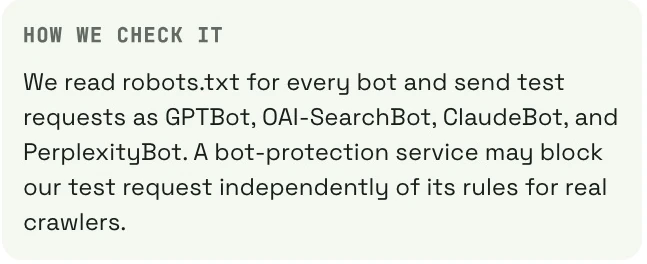
The audit sends test requests with crawler user-agent names. Their results do not prove that a provider's genuine crawler can reach the page from its network. The screenshot describes a technical Perplexity user-agent probe, not VYDAI brand monitoring. See the GEO report guide for check statuses.
Separately, VYDAI brand visibility monitoring covers ChatGPT, Gemini, Claude, Google AI Overviews and Google AI Mode. Open the VYDAI demo to view those reports. A manual command and server logs are enough for a one-time check of a single page.
How to check AI crawler access to a website after changing robots.txt or a WAF rule? Repeat the request to the same URL and save the new response and log entry.